3D model creation process for mine hoists
Mine hoists are key pieces of equipment in mine hoisting and transportation, mainly used for hoisting or lowering coal, ore, personnel, and equipment within mines. They have a complex structure, primarily composed of a main shaft assembly, reducer, motor, brake, and depth indicator. The main shaft assembly winds or carries the wire rope to drive the hoisting container; the reducer converts the high-speed motor to a lower speed suitable for hoisting and increases torque; the motor provides power; the brake ensures safe braking of the hoist; and the depth indicator displays the real-time position of the hoisting container within the shaft, ensuring accurate and safe hoisting operations.
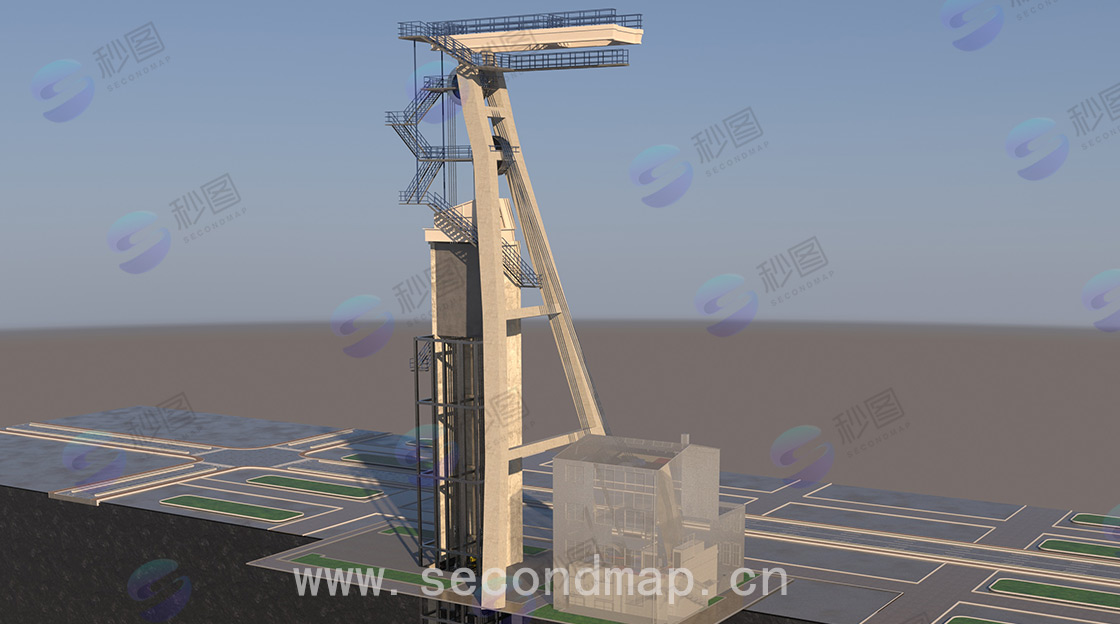
3D models of mine hoists are commonly used in safety monitoring systems. The modeling process is as follows:
I. Preliminary Preparation:
Collect relevant drawings, technical parameters, and photographs of the mine hoist to understand its structure and working principle.
Select appropriate 3D modeling software based on individual skills and project requirements, such as SolidWorks, AutoCAD Inventor, or CATIA.
Analyze the structure of the mine hoist, breaking it down into its sub-components, such as rollers, spindle assembly, reducer, motor, and braking device.
Model the hoist in order of major components to minor components, creating basic components first and then gradually adding other components.
II. Modeling Process:
2.1 Creating Basic Components: Using the sketching tools of the modeling software, draw 2D sketches of each component based on the hoist's dimensions and shape.
Convert the 2D sketches into 3D models using features such as extrusion, rotation, and sweep. For example, rollers can be created by drawing a circular sketch and extruding it into a cylinder.
Following the established modeling sequence, create other components sequentially and accurately assemble them onto the base components. During assembly, define the assembly relationships between components, such as alignment, parallelism, and perpendicularity, to ensure the model's accuracy and stability.
Refine the model with details, such as adding chamfers, fillets, and threads, to make it more realistic. Simultaneously, simplify the model appropriately based on actual conditions to improve modeling efficiency and operability.
2.2 Material and Texture Settings
Assign appropriate materials to the model based on the actual materials of the hoist components, such as steel, aluminum alloy, and rubber. Different materials have different physical properties and appearance effects, making the model more realistic.
To enhance the model's realism, add textures such as metal textures, wood grain, and leather textures. Textures can be created by importing images or using the texture generation tool built into the modeling software.
2.3 Rendering and Displa
Set lighting effects in the modeling software, such as parallel lights, point lights, and spotlights, to simulate different lighting conditions and highlight the model's three-dimensionality and depth.
The rendering function of the modeling software is used to render the model, generating high-quality images or videos. During the rendering process, rendering parameters such as resolution, sampling rate, and anti-aliasing can be adjusted to achieve better rendering results.
The rendered images or videos can then be used for project presentations, technical exchanges, product demonstrations, and other occasions to better convey the design concept and structural features of the mine hoist.
III. 3D Interaction of Mine Hoists
Based on the requirements of 3D applications, the 3D interaction of mine hoists typically includes the following aspects:
| Model browsing interaction | Users can use a mouse or other input devices to pan, rotate, and zoom the 3D model of the mine hoist, allowing them to observe the model from different angles and distances and gain a comprehensive understanding of its structure and details. |
| Component selection and information query | You can click to select various components in the model, such as rollers, reducers, and motors, and then obtain detailed information about the component, including its name, specifications, material, and technical parameters. |
| Assembly and disassembly demonstration | The assembly and disassembly process of a mine hoist is simulated in an interactive way. Users can follow the steps to view the installation sequence and connection method of each component, or perform a disassembly demonstration in reverse, which helps to understand its mechanical structure and maintenance process. |
| Motion simulation | The simulation device tracks the dynamic behavior of the hoist during operation, such as the rotation of the drum, the winding of the wire rope, and the lifting and lowering of the hoisting container. Different operating parameters, such as speed and acceleration, can be set to observe the motion state of the hoist under different working conditions. |
| Sectional and internal structure examination | It can perform sectioning operations on 3D models, such as cutting open a hoist along a specific plane to reveal its hidden internal structure and components, making it easier for users to understand its internal structure and working principle. |